Recoil Feature · 9 min read · 2026-09-29
Master Every Weapon with Zero Recoil Modifications
Learn how recoil compensation, weapon profiles, optics, attachments, sensitivity, and aim settings work together in Arena Breakout Infinite.
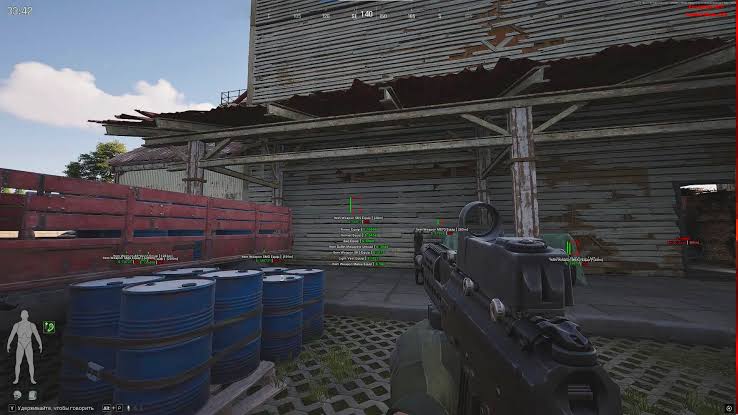
How Arena Breakout recoil control works
Arena Breakout recoil control applies compensation to weapon movement while firing. It does not change the server-side weapon statistics; it changes how input counters the visible rise and movement.
Arena Breakout Infinite has many combinations of weapons, optics, attachments, stances, and fire modes. One universal value may feel controlled on one loadout and over-corrected on another.
The best setup starts with a stable baseline and small adjustments. Test recoil before adding aim assistance so the two systems do not hide each other.
Create a clean weapon baseline
Choose one weapon, one optic, one attachment set, and one firing stance. Keep game sensitivity and field of view unchanged throughout the first test.
Fire repeatable bursts at the same distance and observe vertical rise and side movement. Adjust one compensation value at a time instead of changing the full profile after every burst.
A controlled pattern matters more than forcing the highest possible correction. Over-correction can pull the sight away from the intended point.
Account for optics and attachments
Magnified optics make movement appear larger, so a value tested with a close-range sight may feel different at higher zoom. Build the profile around the optic actually used in raids.
Attachments can alter recoil behavior and handling. Retest after changing a muzzle, grip, stock, or other part that affects the weapon pattern.
Keep notes or saved profiles for common builds. That is faster and more consistent than rebuilding every value during a live raid.
Use profiles by weapon class
Rifles, compact weapons, and heavier platforms can need different compensation. Grouping profiles by weapon class provides a useful starting point even when individual weapons still need small changes.
Name profiles clearly by weapon and optic. If the menu supports import, reset, or duplication, copy a close baseline and tune it rather than starting from zero.
For the broader feature comparison, see Arena Breakout Infinite features, safety, and value in 2026.
Combine recoil with aimbot settings
Recoil control manages weapon movement. Aimbot settings manage target selection and aim movement, so both can influence what the crosshair does during fire.
Finish the recoil baseline first, then use the precision aimbot guide to add FOV, smoothness, target bones, visibility, and range.
If the combined result feels unstable, disable one system and retest. That quickly shows whether the problem comes from recoil compensation or target movement.
Compatibility and current status
A game update may change weapons, attachments, or compatibility. Retest saved profiles after balance changes and check current ACE status after significant patches.
Confirm adjustable strength, profile support, Windows compatibility, and help access before choosing a tool. Review arena breakout cheats for the current feature list and license details.
Keep profiles simple and documented. A known baseline is easier to repair after an update than a setup built from many simultaneous changes.
Ready for arena breakout cheats?
Check live ACE status, then buy ESP, aimbot, and recoil control for Arena Breakout Infinite on arenabreakoutcheats.net. Need help? Read support or player reviews. Own the game via the official site.
Community replies
Discussion prompts based on common player questions.
BurstPattern
Weapon testing · Sep 29, 2026
Using the same wall and distance made adjustment much easier. Random fights do not give a consistent pattern for comparing two values.
OpticShift
Sep 29, 2026
Magnified optics were the missing part of my profiles. A correction that looked fine on a close sight felt much stronger when zoomed.
RiflePreset
PC player · Sep 30, 2026
Class presets are a good starting point, but I still save separate values for the weapons I use most. Attachments can change the feel enough to notice.
SingleChange
Sep 30, 2026
Do you test aim assistance only after the full recoil profile is saved? I want a clean way to tell which setting causes an over-correction.
Frequently asked questions
Does one recoil value work for every weapon?
No. Weapons, optics, attachments, stances, and fire modes can produce different movement. Use class presets as starting points and save separate profiles for common loadouts.
Why does recoil feel different with a magnified optic?
Zoom makes visible movement appear larger and can change how compensation feels. Test each profile with the optic you plan to use.
What causes recoil over-correction?
Compensation that is too strong can pull the sight away from the intended point. Lower one value at a time and retest with the same weapon setup.
Should I configure aimbot or recoil first?
Configure recoil first with aim assistance disabled. Once weapon movement is stable, add aim settings and check the combined behavior.
When should weapon profiles be retested?
Retest after weapon balance changes, attachment changes, sensitivity changes, or major game updates. Also confirm current compatibility before loading after an ACE update.